Introducing GARU: know who really holds your NFTs
One studio for NFT creators: build a layered collection, then see who holds it, for how long, and prove it.
In short
GARU is a studio for NFT creators. The free desktop app builds layered collections on your computer. The web toolkit, invite only for now, adds the same art generator in your browser, holder snapshots taken at a finalized block, hold-time lists and public collection reports. Join the waitlist for web access, or download the app today.
Most NFT tools stop at the mint. You generate the art, upload it, and then the collection becomes a contract address and a floor price. The people who actually hold it, and how long they've stayed, are hard to see.
GARU is built for both halves of a creator's job: making the collection, and knowing who holds it.
What is GARU?
GARU is a studio for NFT creators with two parts.
- The desktop app builds layered collections on your computer. It's free, runs on Windows, macOS and Linux, and needs no account.
- The web toolkit is invite only for now. It runs the same NFT Art Generator in your browser, and adds tools for the collection after it's live: holder snapshots, hold-time lists and public collection reports.
Build the collection
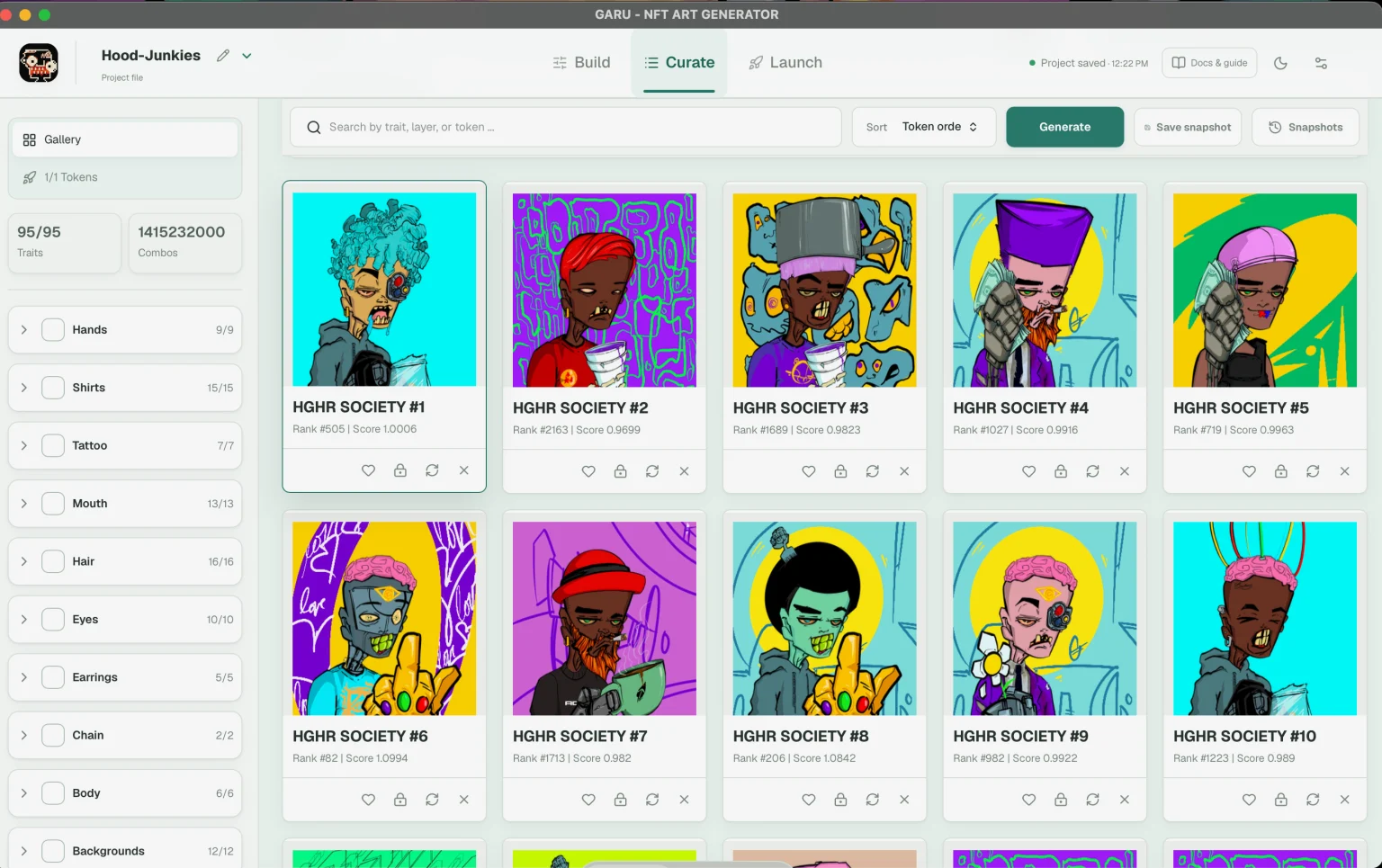
Drop a folder of trait art into GARU, one folder per category, and set how many tokens you want. Tune how rare each trait should be, add rules for traits that shouldn't appear together, and generate.
Then curate. Every token in the batch is ranked by rarity, using the OpenRarity method, so you can see what you made before anyone else does. Keep the ones you love, regenerate the rest, and export a ZIP with your artwork, metadata JSON for each token, an OpenSea-ready CSV and a manifest.
The app prepares files. Minting stays with the marketplace or contract you choose.
See who holds it
Once a collection is live, the web toolkit answers the questions a floor price can't.
- Who holds it right now? A holder snapshot reads every balance at a finalized block, so the list doesn't change after the fact. Combine up to three collections, set a minimum, and export a holder CSV or an OpenSea allowlist.
- Who stayed? Hold time adds a held-since date for each wallet, read from the collection's transfer history. Reward the people who were there early, not just the ones who bought last week.
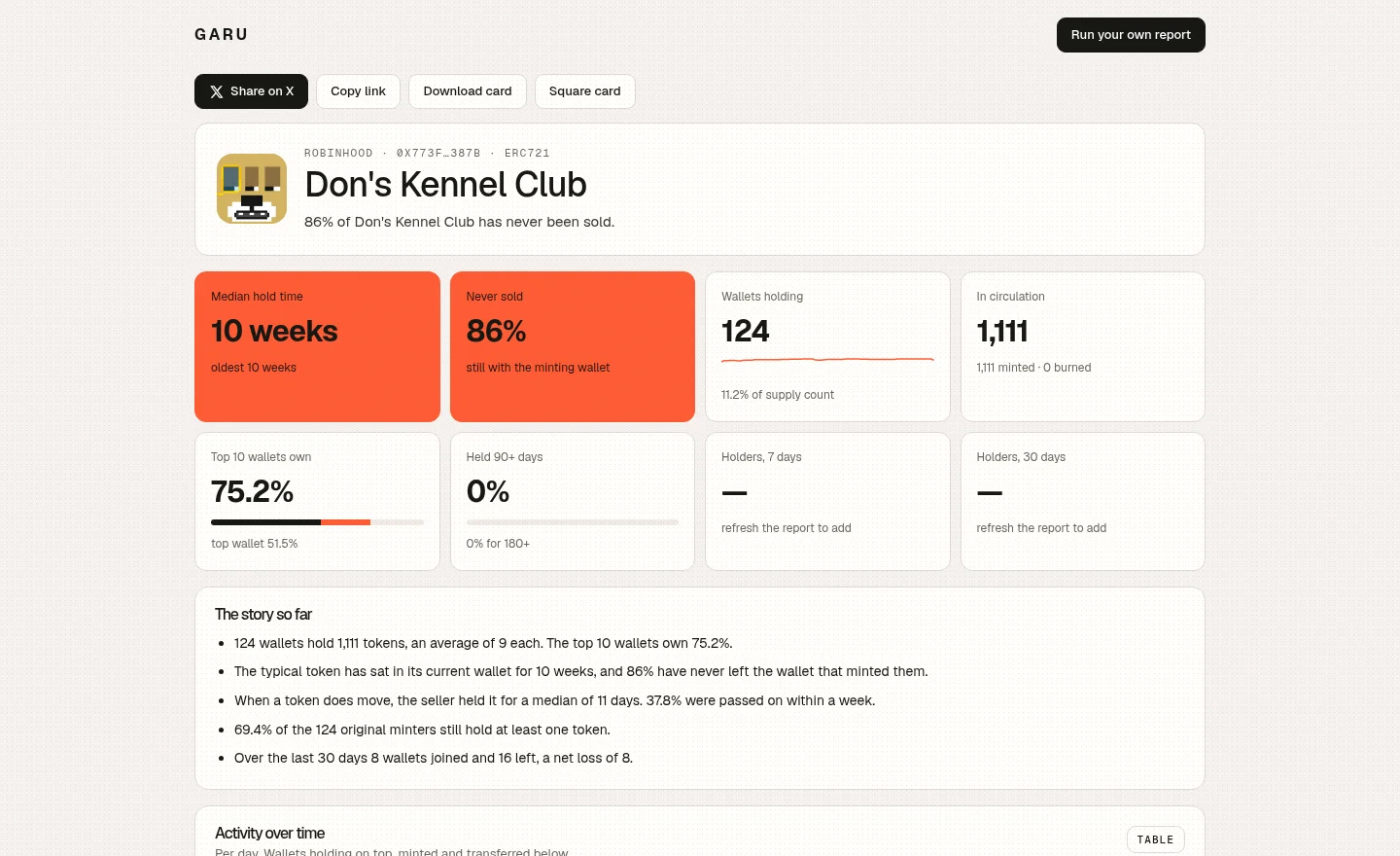
- How healthy is it? A collection report shows median hold time, the share of tokens that never sold, how concentrated ownership is, and a Holder Score from 0 to 1000.
Prove it
When a list decides who gets an airdrop or a mint spot, people want to know it's fair. On the Studio plan, GARU can sign a snapshot. The report gets a fingerprint (a SHA-256 hash) and a digital signature, and a public verify page shows whether it still matches. Anyone can download the report and check it themselves.
Chains and plans
The web toolkit reads collections on Ethereum, Base, Polygon, Arbitrum and Optimism, among others.
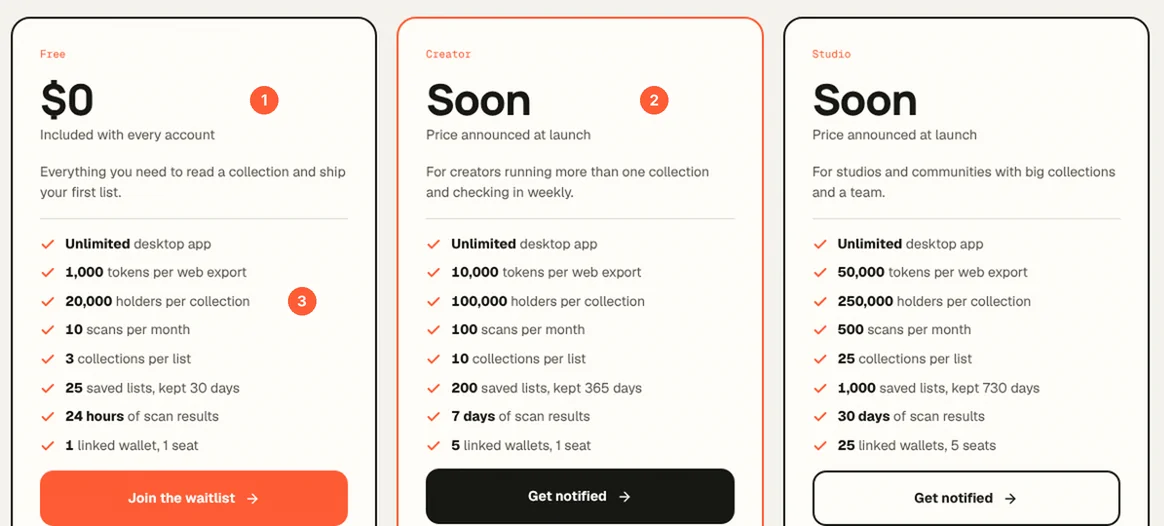
| Plan | Holders per collection | Scans per month | Hold-time runs per month |
|---|---|---|---|
| Free | 20,000 | 10 | 1 |
| Creator | 100,000 | 100 | 25 |
| Studio | 250,000 | 500 | 150 |
The desktop app is free on every plan. Paid plans are coming soon, and their prices are announced at launch.
FAQ
Is GARU free?
Yes, to start. The desktop app is free with no limits, and the web toolkit has a Free plan. Paid plans with higher limits are coming.
Does GARU mint my NFTs?
No. The desktop app and the web generator prepare your artwork and metadata. You mint with the marketplace or contract of your choice.
How do I get into the web toolkit?
Join the waitlist with your email. Invites are approved by hand, and you can sign in any time to see your spot in line.
Get started
Join the waitlist for the web toolkit, or download the desktop app and build your first collection today. The Getting started guide walks you through both.
Keep reading