Build
Drop in your trait art (PNG, JPG/JPEG, WebP, GIF or SVG, one image per variation on the same canvas size), set rarity and rules, and reuse layer orders as templates.
Download
GARU is a free desktop app for building layered NFT collections: import your trait art, tune rarity, curate the batch and export artwork with metadata ready to upload.
v0.6.4Latest release ·
Overview
Drop in your trait art (PNG, JPG/JPEG, WebP, GIF or SVG, one image per variation on the same canvas size), set rarity and rules, and reuse layer orders as templates.
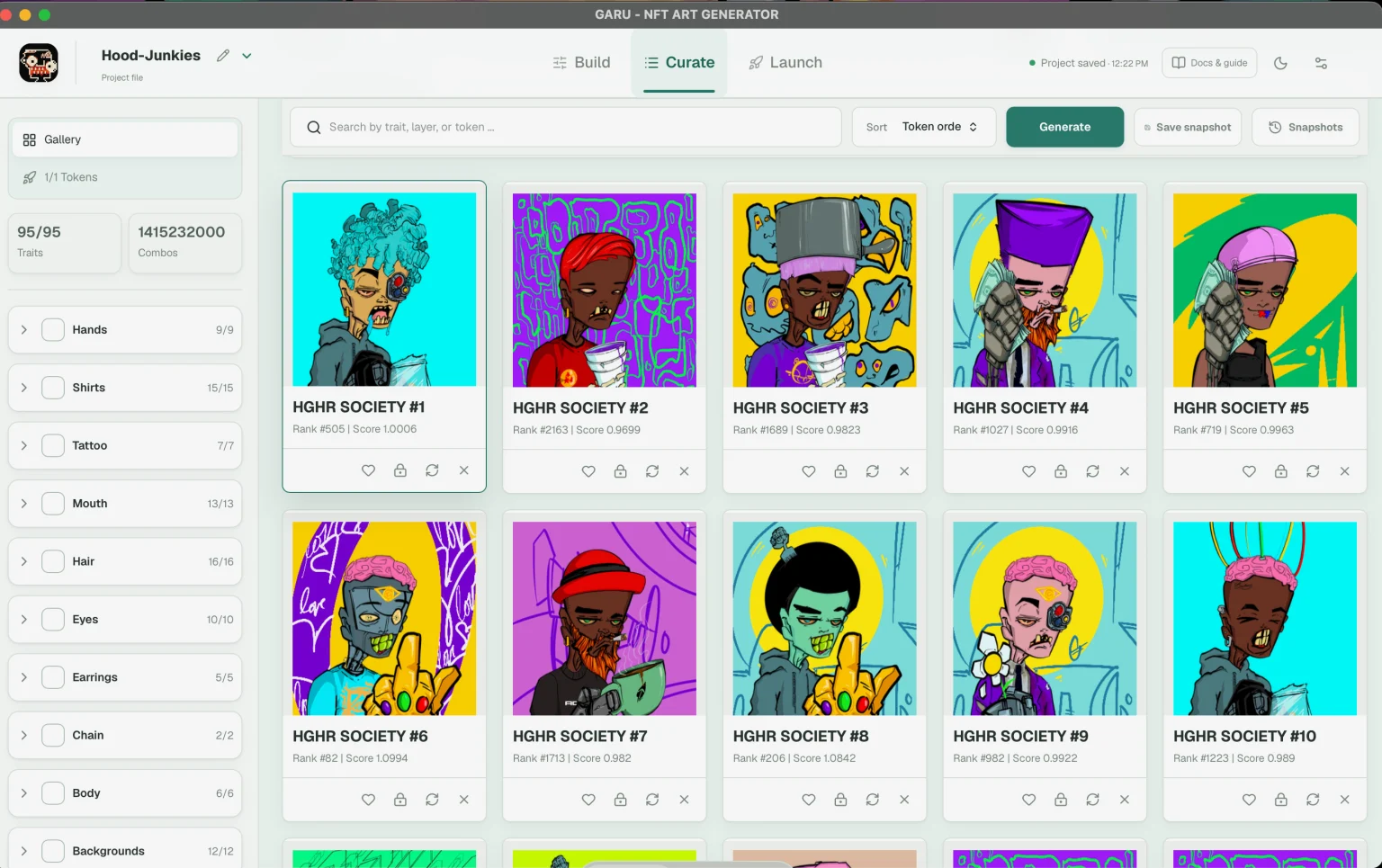
Generate a batch, filter and inspect every token, and add 1/1 pieces with custom metadata.
Export one image per token (PNG or JPG, up to 2,400 px) with per-token metadata JSON, a bulk metadata.json, an OpenSea-oriented CSV and a manifest, all in one ZIP.
GARU prepares your files only. It does not mint tokens or deploy contracts.
Compare
| Feature | Desktop app | Web tools |
|---|---|---|
| Where it runs | Windows, macOS and Linux | In your browser |
| Account needed | No | Yes |
| Limits | Unlimited on every plan | Set by your plan |
| Build and export collections | Yes | Yes, web generator |
| Holder snapshots and collection reports | No | Yes |
| Share cards, wallet profiles and list builder | No | Yes |
See what each plan includes on the pricing page.
FAQ
New to GARU? Follow the getting started guide. Need more help? Read the docs or contact us.
Yes. The desktop app is free and unlimited on every plan, and you can download it without an account.
GARU has desktop builds for Windows (x64), macOS (universal) and Linux (x64 AppImage). Every release lists the installers that are available for it.
Use the .exe or .msi installer (x64). 1. Download the Windows installer from this page. 2. Open the downloaded file and follow the installer. 3. Start GARU from the Start menu and create your first project.
Use the universal .app archive. 1. Download the macOS archive from this page and open it to extract the app. 2. Drag the app into your Applications folder. 3. Open GARU from Applications and create your first project.
Use the x64 AppImage. 1. Download the AppImage from this page. 2. Make it executable: right-click the file, open Properties and allow executing it as a program (or run chmod +x on it). 3. Double-click the AppImage to start GARU.
Prepare one image for every trait variation. GARU accepts PNG, JPG/JPEG, WebP, GIF and SVG, and every image in a collection should share the same canvas size.
The Launch export is a ZIP with one rendered image per token (PNG or JPG, 1 to 2,400 px), a metadata JSON file for each token, a bulk metadata.json, an OpenSea-oriented CSV and an export manifest. You can also download the CSV or the metadata JSON on their own.
On the computer where GARU is installed. To move a project to another computer, export a .garu backup from the project menu and import it on the other device.
No. GARU prepares artwork and metadata files for you to upload later. It does not mint tokens, deploy contracts or publish a collection.
Download the latest installer from this page and install it over your current version.
The desktop app builds, curates and exports collections on your computer. The web tools add a browser generator, holder snapshots and collection analytics, with limits set by your plan.
Archive
Every release is on GitHub.
Download GARU v0.6.4 for free and start turning your trait art into a collection.